
As Mostbet Partners is already available in BeMob templates of affiliate networks, the postback configurations become easier.
¶ Affiliate Network Settings
- Press Affiliate Networks tab.
- Click New from template and select Mostbet Partners from the list.
The settings window is separated on 2 parts: Affiliate Network Details and Additional Options.
¶ Affiliate Network Details
This part contains the following settings:
- workspace selection
Workspaces of BeMob help to separate all the working processes into areas. Along with the Users Management this option allows to organize and manage the campaigns and elements smartly.
By default all the elements you create go to Master WS. Leave the default selection if you have no other pre-configured custom workspaces and move on to other settings.
🔎 Learn more about this option in our Workspaces guide.
- postback settings
Since we have already set the Mostbet Partners postback URL on our side, all you need to do is to click on Copy button.
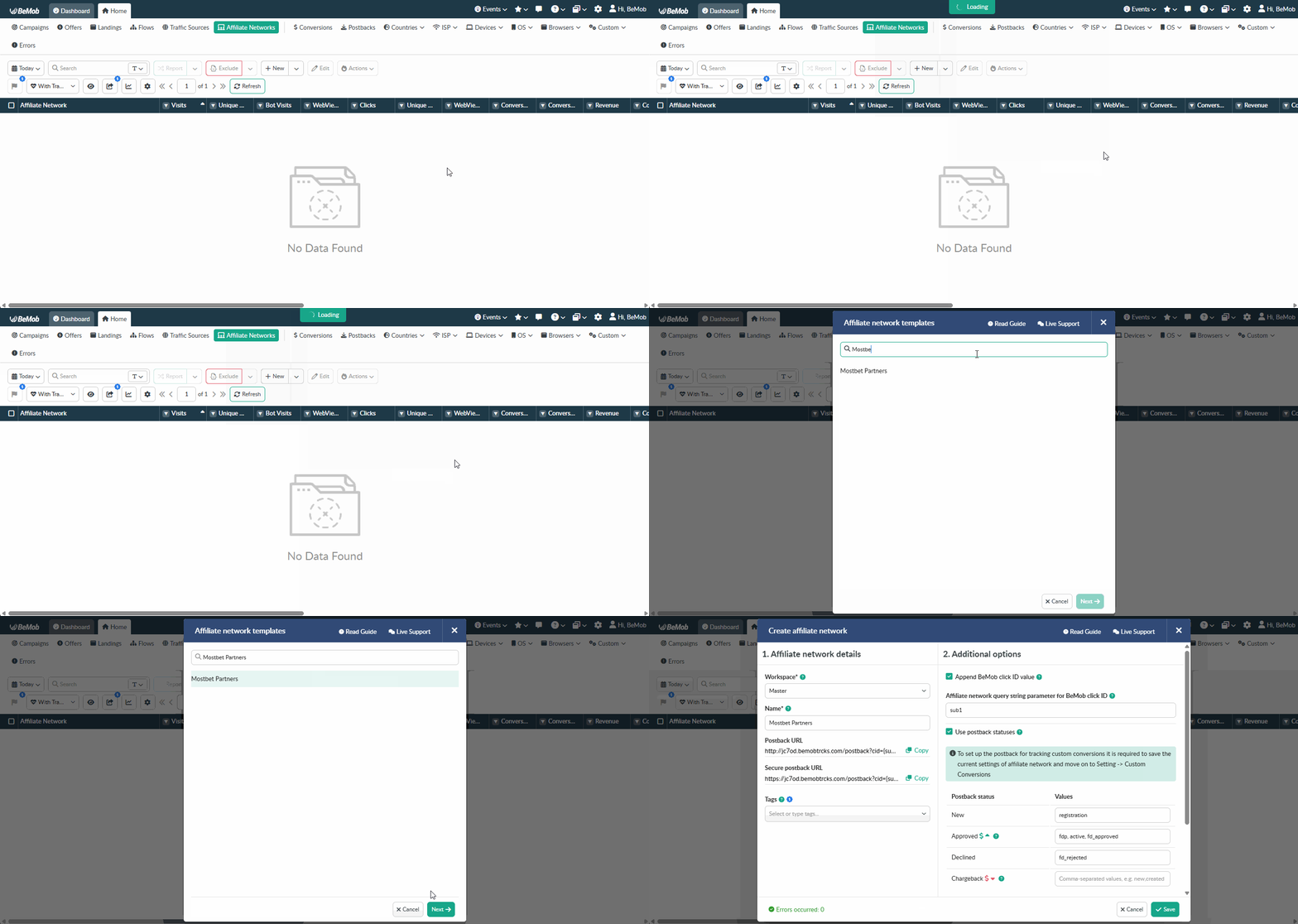
The preconfigured postback URL of Mostbet Partners is:
http://yourdomain.com/postback?cid={sub1}&payout={profit}&txid=OPTIONAL&status={status}
&txid=OPTIONAL should be removed from the postback, when placing the URL on the side of Mostbet Partners.
¶ Additional Options
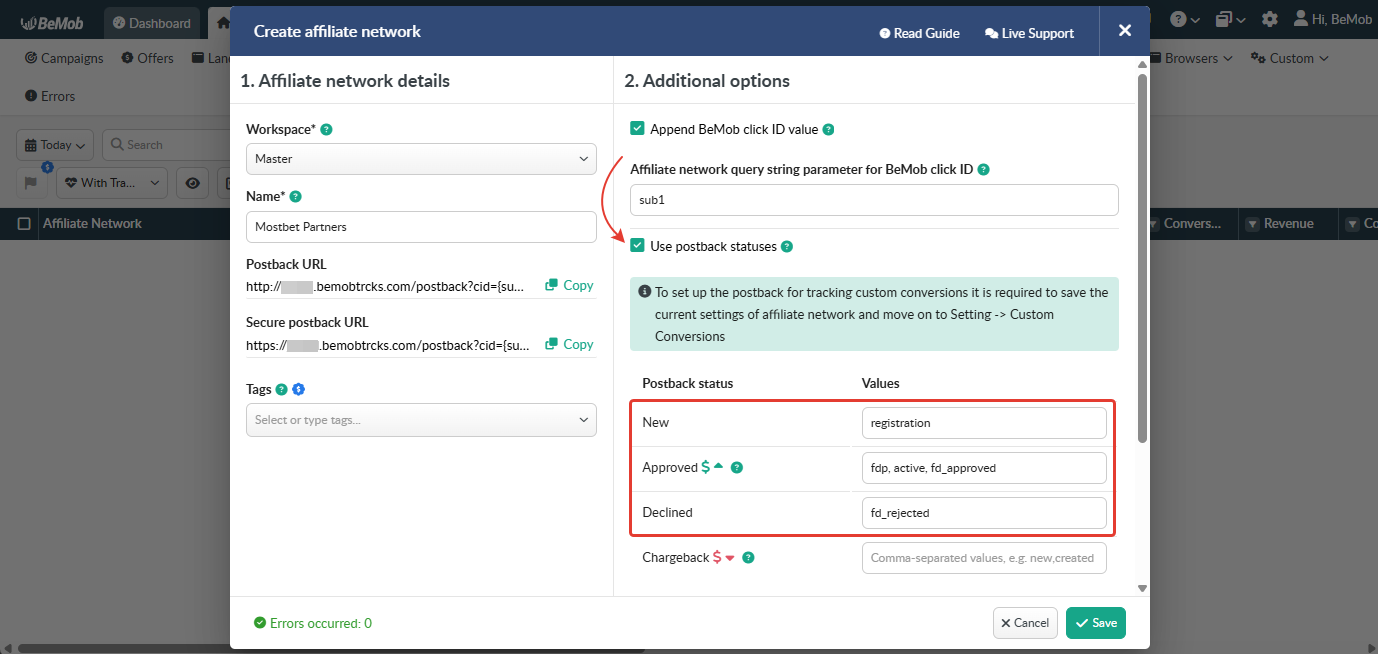
Use Postback Statuses option allows you to receive data on conversions with different statuses. You can track each stage of conversion from the moment it appears till the conversion is paid or rejected.
Mostbet Partners is forwarding the status of each conversion via postback request. Status values are pre-configured in the Mostbet Partners template.
If you tick the option Use Postback Statuses BeMob will recognize the statuses of conversions which are delivered via postback request from Mostbet Partners.
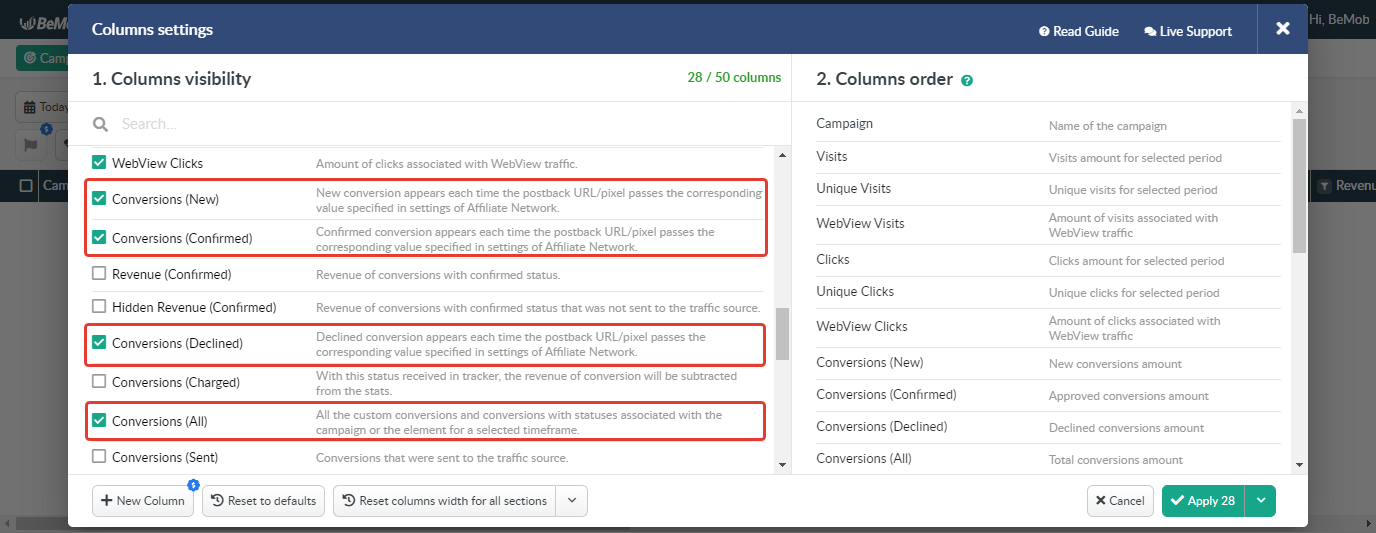
To see the statuses data it is required to switch on the corresponding columns in the Columns Settings.
🔎 Learn more about this option in our Postback Statuses guide.
Other options such as accepting double postbacks and IPs whitelisting are completely optional in terms of Mostbet Partners settings.
❓ Relevant guide on additional options - Double Postbacks and Postbacks From White IPs
Click on Save button to store the settings of Mostbet Partners and log into Mostbet Partners account.
¶ Custom Conversions Settings
Using a Custom Conversions option, you are able to track different conversion types.
This step can be skipped if you are going to track postback statuses.
To set a custom conversion with BeMob:
- Go to Settings on the panel.
- Access Custom Conversions section.
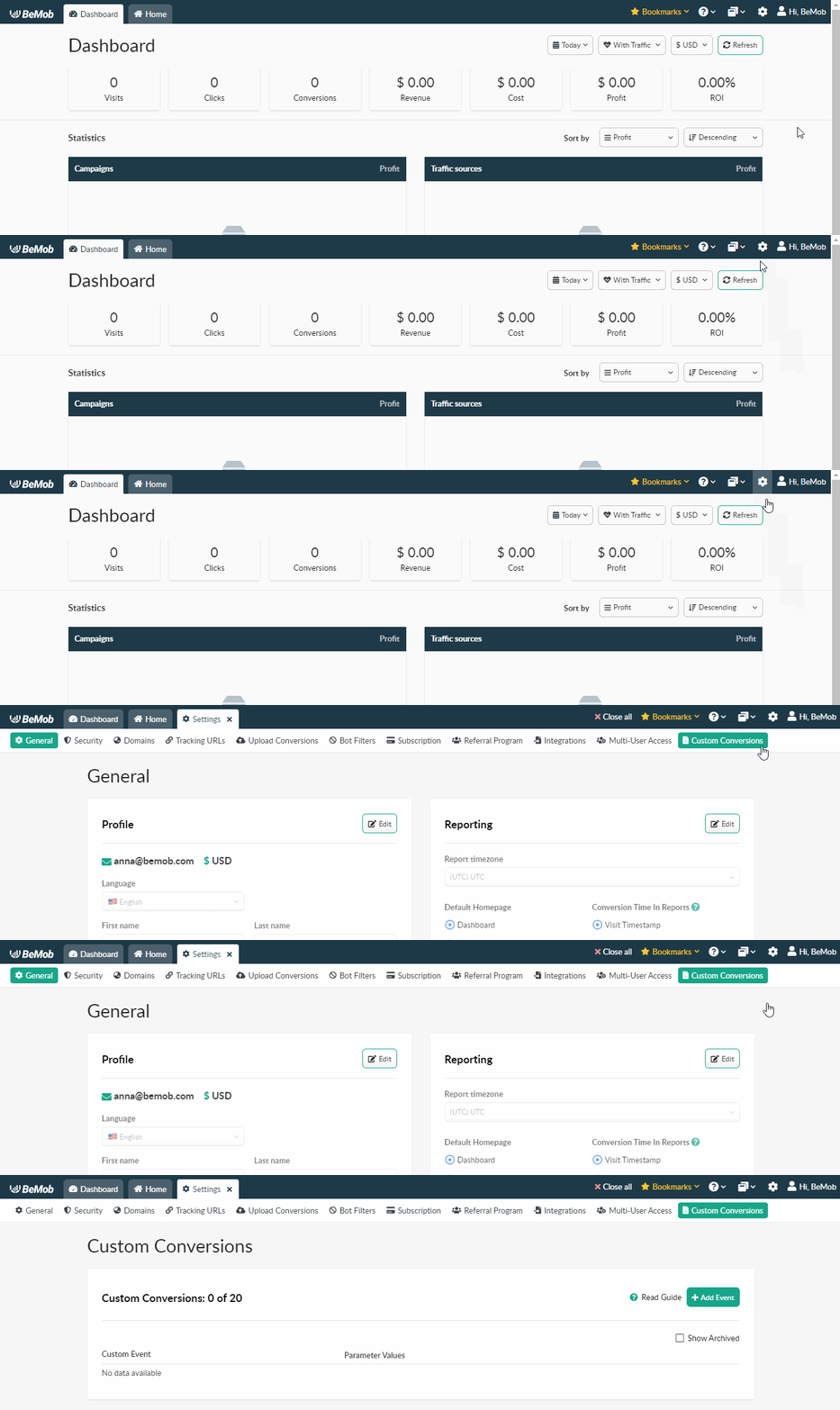
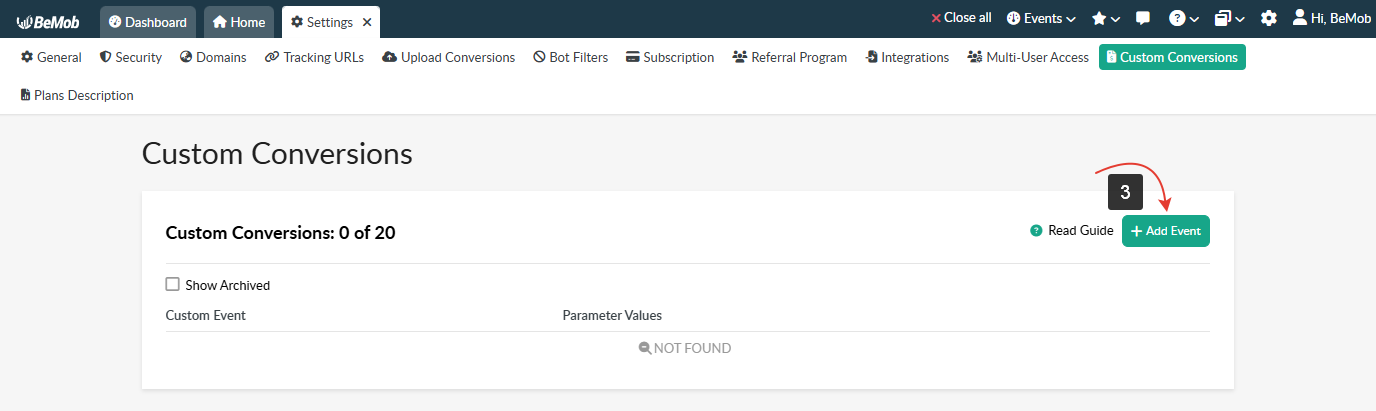
- Click Add Event button. The window of Custom Conversion Event settings will appear.
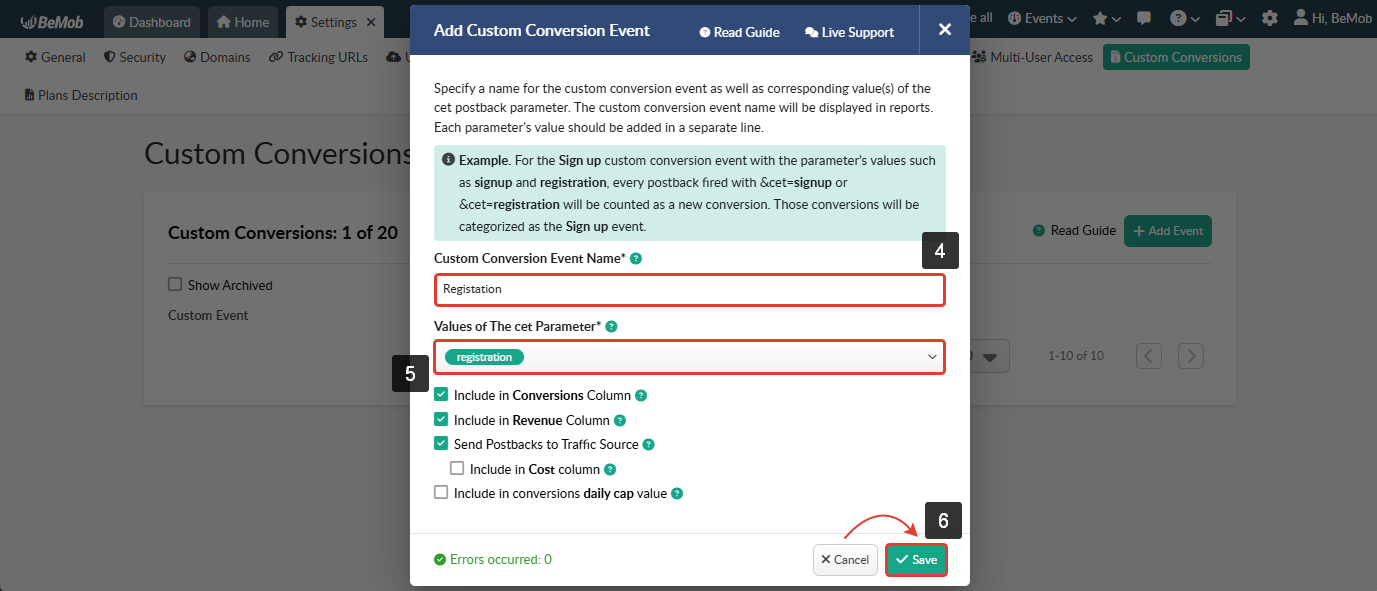
- Specify Custom Conversion Event Name. It will be displayed in BeMob statistics.
- Add Values of The cet Parameter of the cet parameter.
Ensure the value of the cet parameter matches the event type provided by Mostbet Partners.
- Press Save button to create a custom conversion in BeMob.
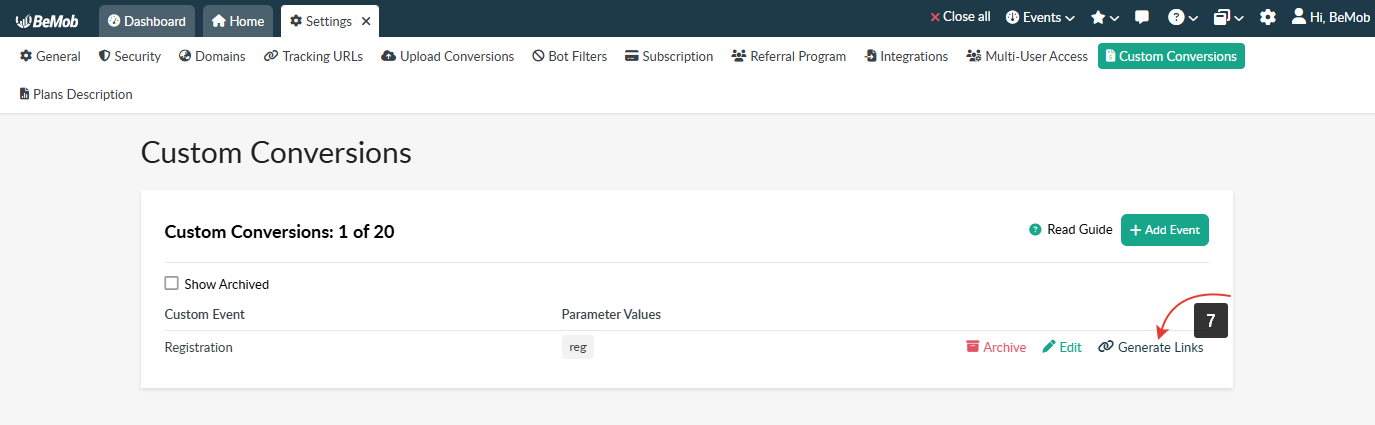
- Click Generate Links button.
-
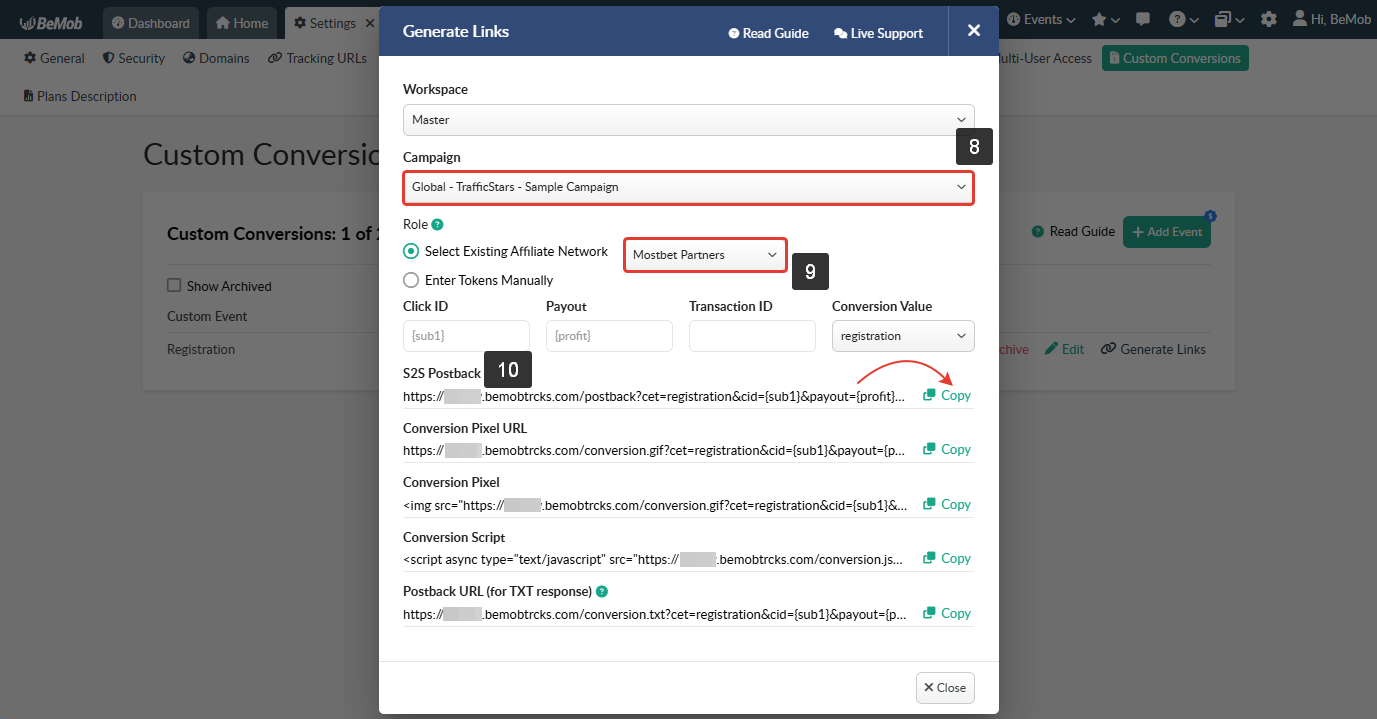
Select a campaign you want to track custom conversions for.
-
Select Mostbet Partners from the list of existing affiliate networks. All tokens supported by Mostbet Partners will be automatically added into the corresponding fields.
-
Press Copy button to get the S2S Postback.
🔎 More info about custom conversions tracking is available here.
¶ Mostbet Partners Settings
After Mostbet Partners is added with BeMob, it is required to add the postback URL on the side of this affiliate network which will notify the tracker about each incoming conversion.
If you place the postback URL as http://yourdomain.com/postback?cid=REPLACE&payout=OPTIONAL&txid=OPTIONAL&status=OPTIONAL the conversions data will not be tracked with BeMob.
The URL should contain the dedicated Mostbet Partners tokens.
Postback URL should contain Mostbet Partners dedicated tokens, that's why it is recommended to copy the postback URL from BeMob and place it on the side of Mostbet Partners with all pre-populated tokens.
¶ Postback Settings
To place the postback URL on the side Mostbet Partners follow these steps:
- Go to Profile → Global postback.
- Paste Postback URLs in the corresponding fields.
- Press Save button.
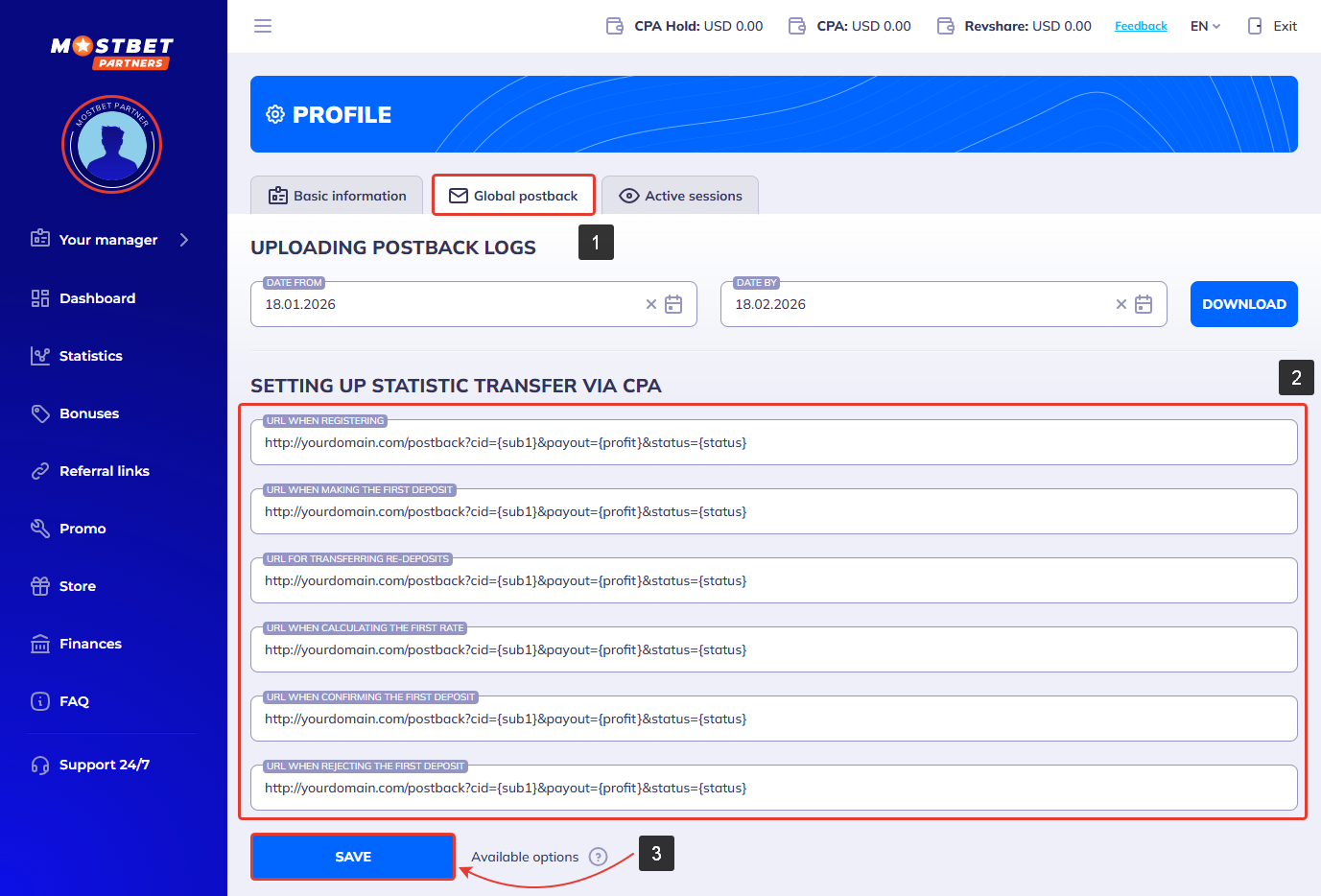
If you are going to track custom conversions, the Postback URLs should contain
cetparameter.
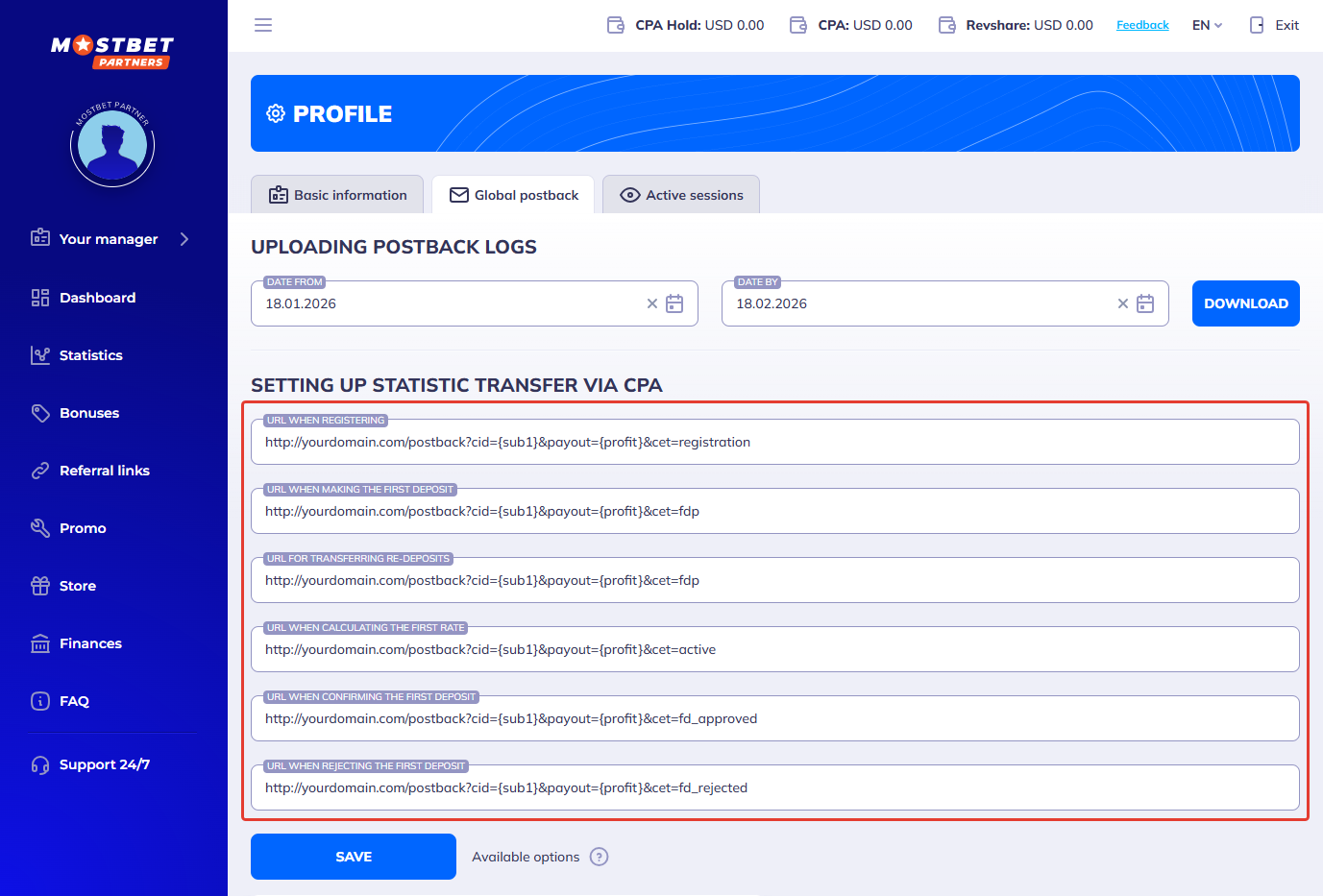
After the postback URL is added on the side of Mostbet Partners it is required to copy the offer URL and go back to your BeMob settings.
¶ Referral Link Settings
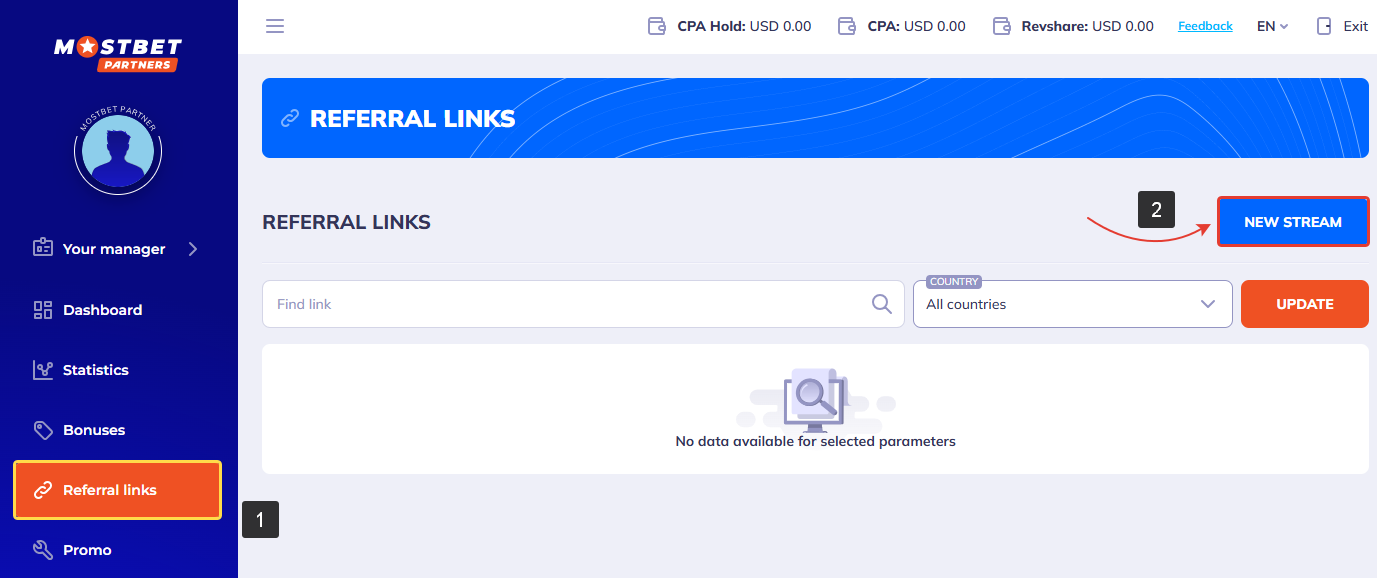
To get offer link on the side of Mostbet Partners:
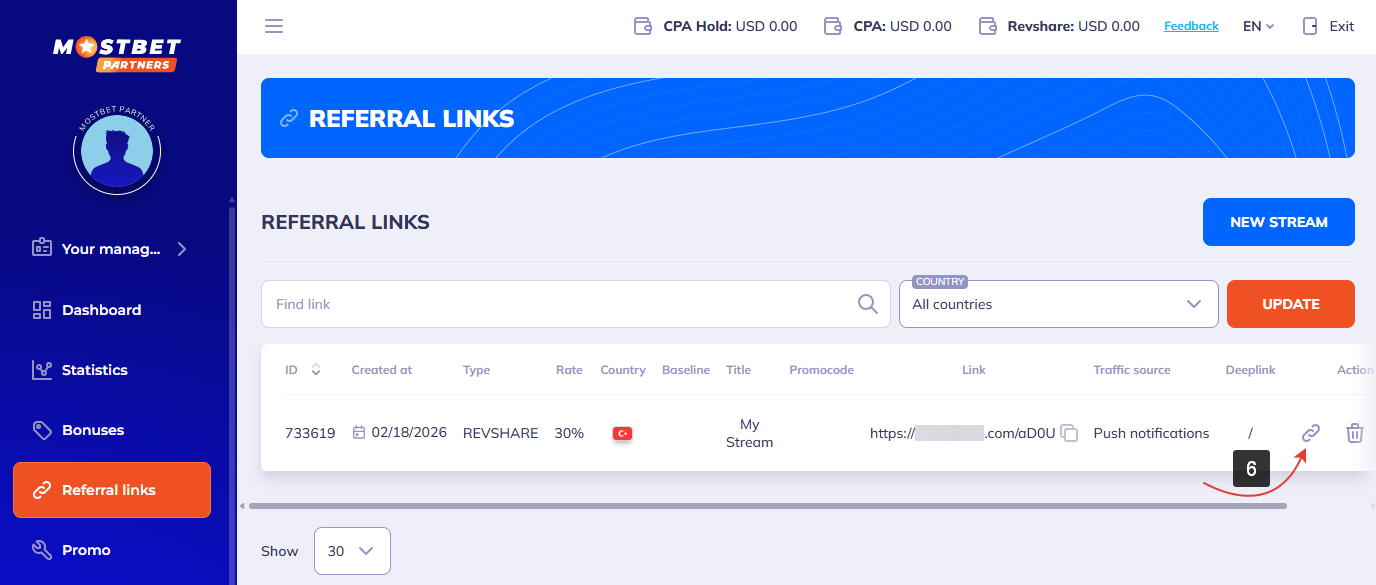
- Access the Referral links tab.
- Press New stream button.
- Fill the Main settings.
- Select the desired landing page.
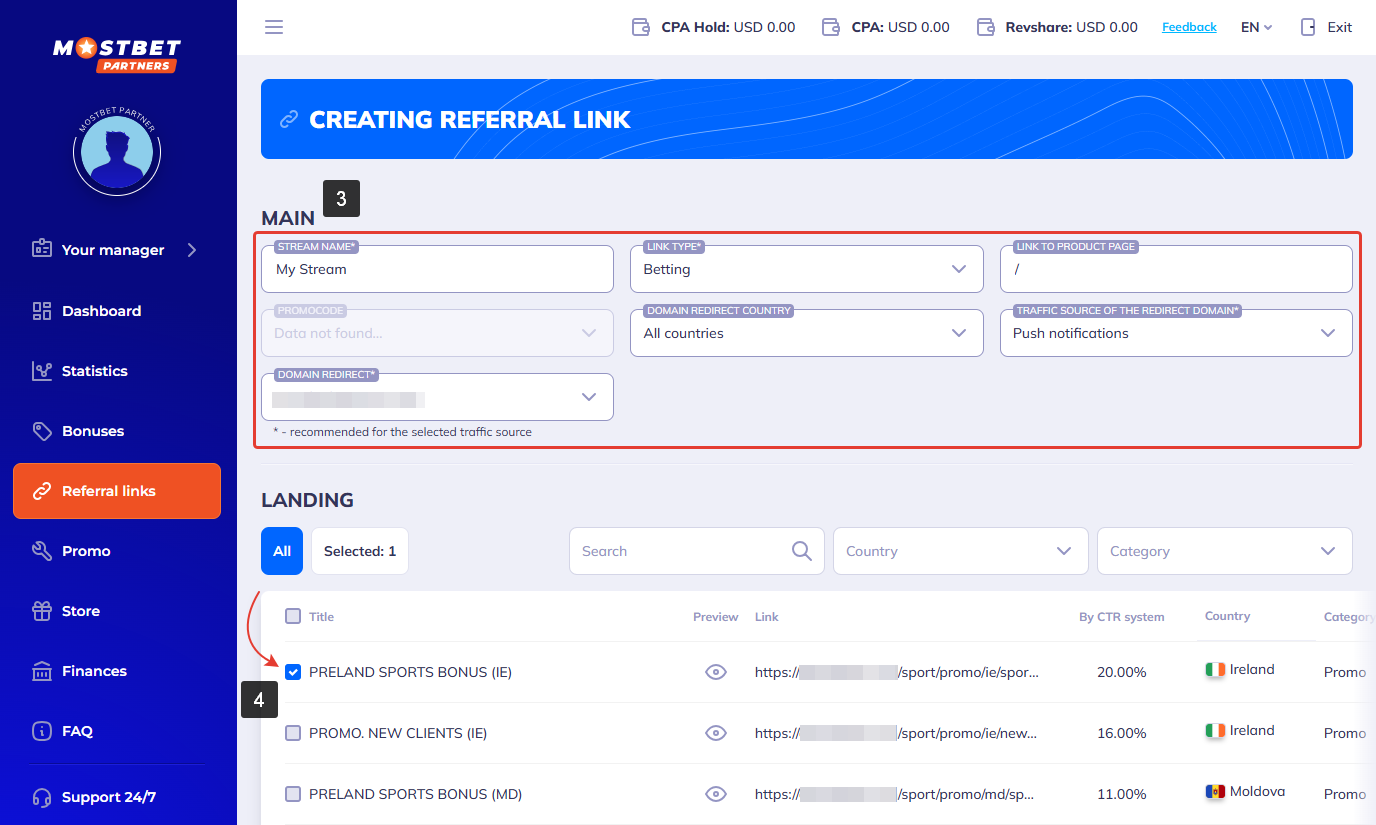
- Press Create a ref link button.
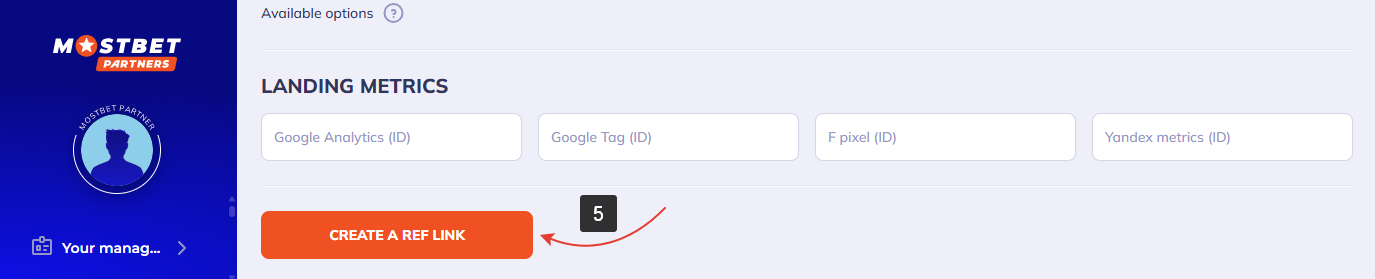
- Copy your referral link.
¶ Offer Settings
To add the Mostbet Partners offer URL in BeMob it is required:
- Press Offers tab.
- Click New.

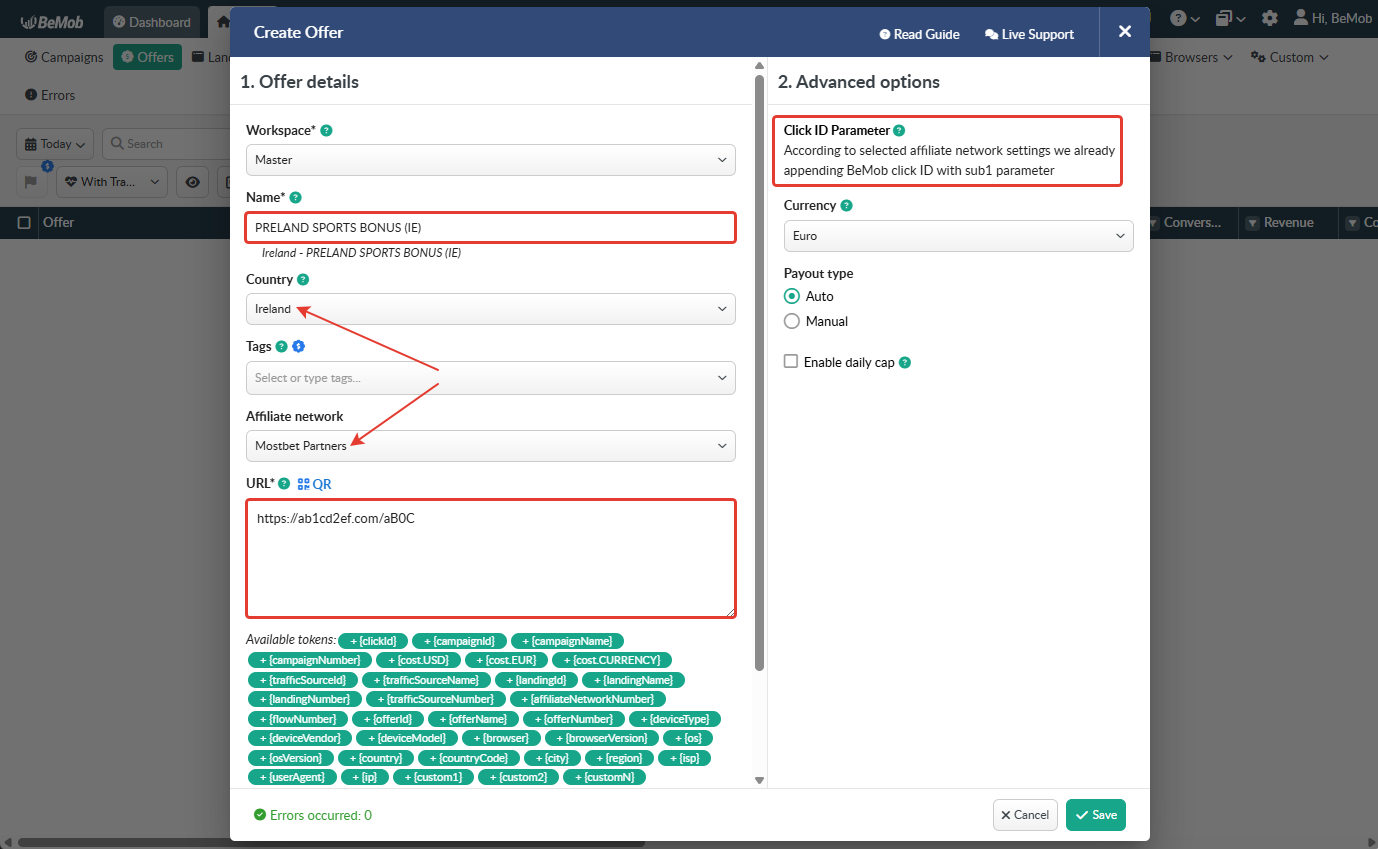
After the offer settings window appear it is required to:
- select the Workspace or leave Master as the default choice;
- add the offer name;
- specify the geo of offer;
- select Mostbet Partners as Affiliate Network;
- place the offer in the URL section;
- press Save to store the settings.
🔎 More details on offer settings see in our dedicated guide.
¶ Click ID Settings
Setting up BeMob Click ID is the obligatory step for correct conversions tracking process. The dedicated token and parameter should be added either at the end of offer URL or specified in affiliate network settings of BeMob.
In the example above you can see that no click ID value is added at the end of the offer URL as the click ID has been specified in the Mostbet Partners template at the stage of affiliate network settings.
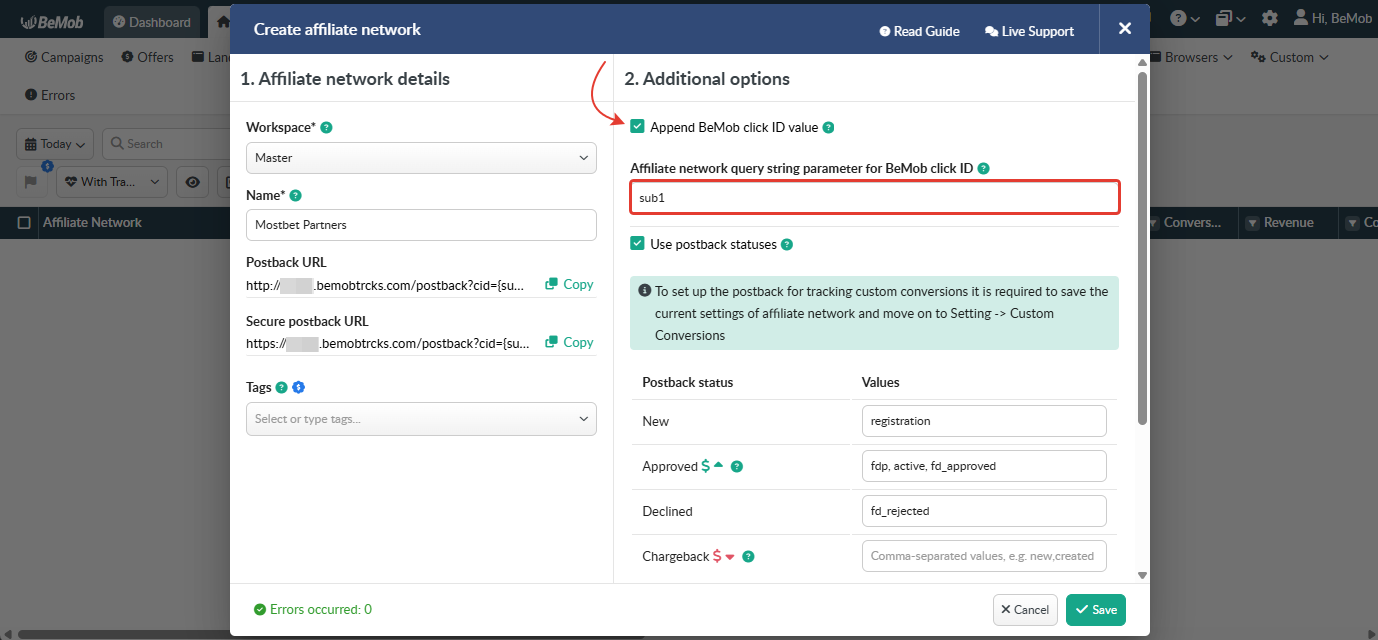
To pass click ID manually the sub1={clickId} part should be added at the end of each offer URL from Mostbet Partners and the automatic click ID passing should be switched off in the Mostbet Partners template.
Here is the sample of Mostbet Partners template and offer settings, when you decide to pass the click ID manually.
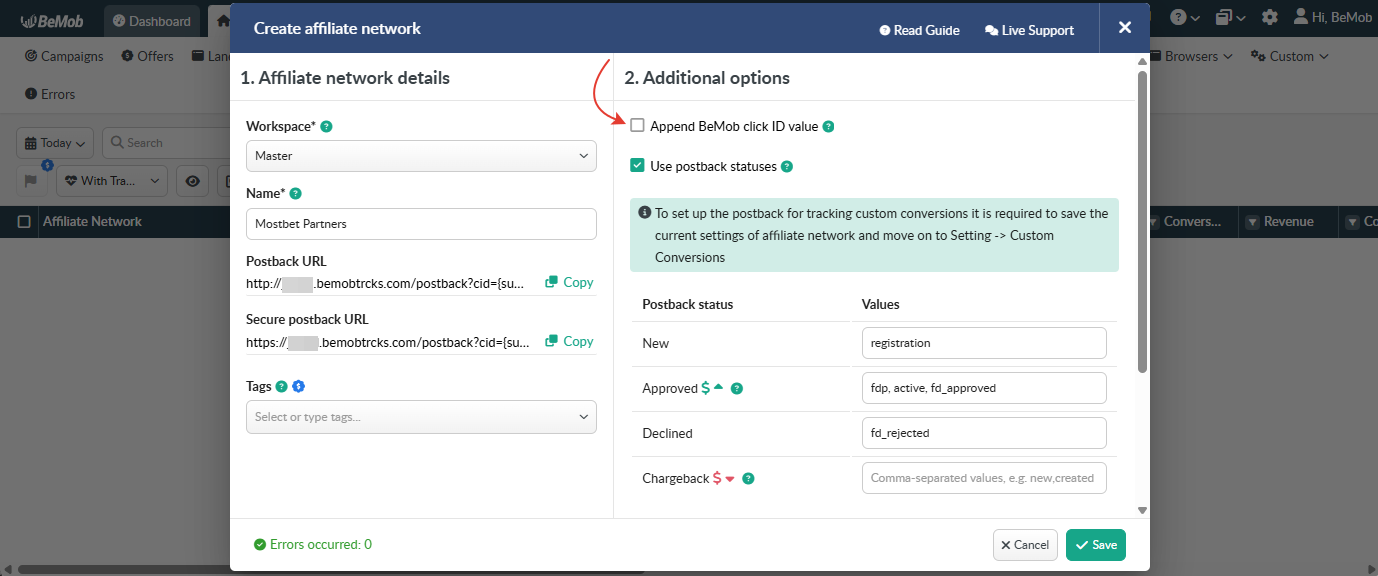
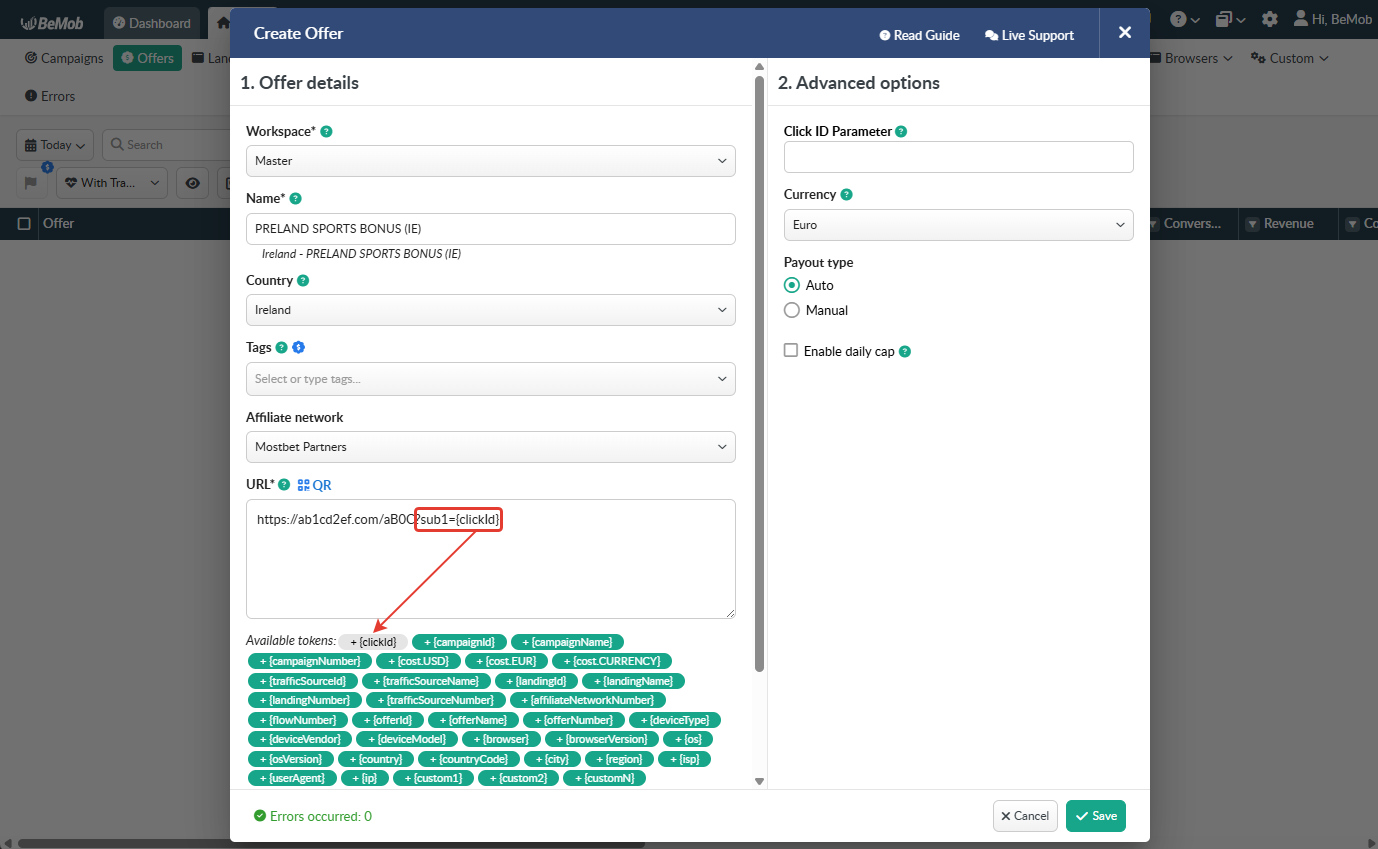
It is required to select either appending BeMob click ID automatically or manually in offer settings.
After Mostbet Partners offer is set up in BeMob, it is required to move on to traffic source or campaign settings.
If you have any questions or need the assistance with the settings, contact our support team through the live chat or at support@bemob.com