BeMob has a flexible pricing model: choose a plan for your event volume, use overage if you temporarily exceed the limit, and use add-ons to get specific features without upgrading your plan.
Plans provide event capacity and account limits.
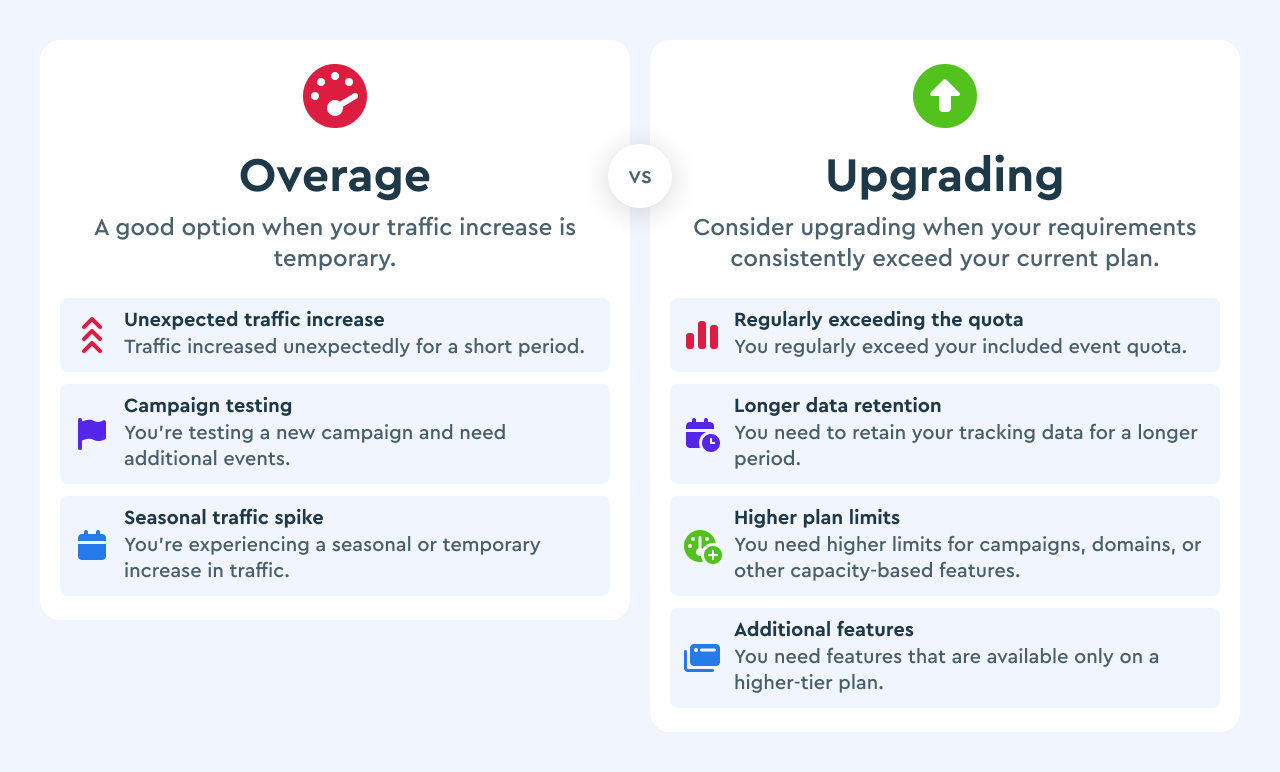
Overage allows temporary growth without interruption.
Add-ons let you expand specific features without paying for a higher event quota you don’t need.
¶ How BeMob Pricing Works
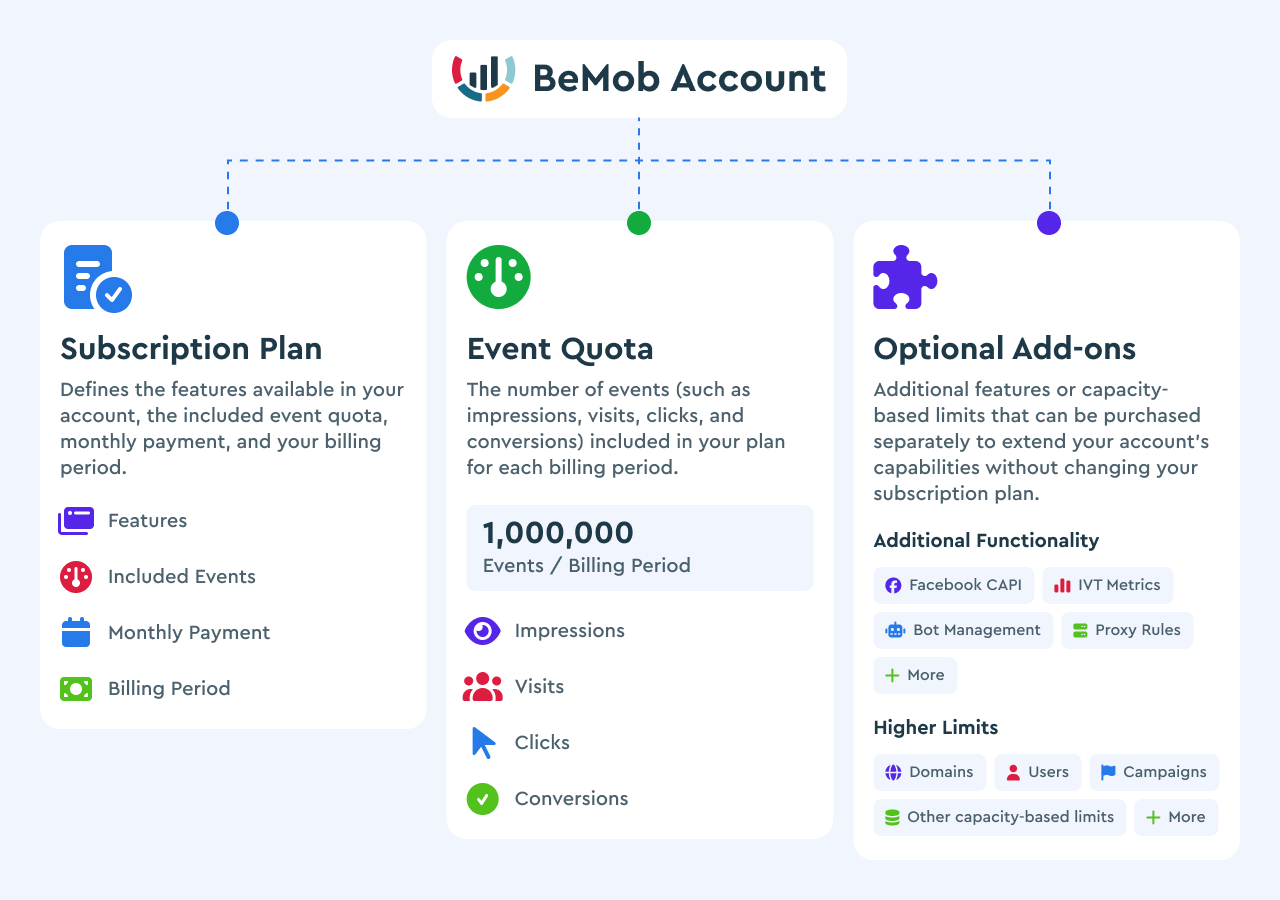
Every BeMob account consists of three main components that determine its features and usage limits.
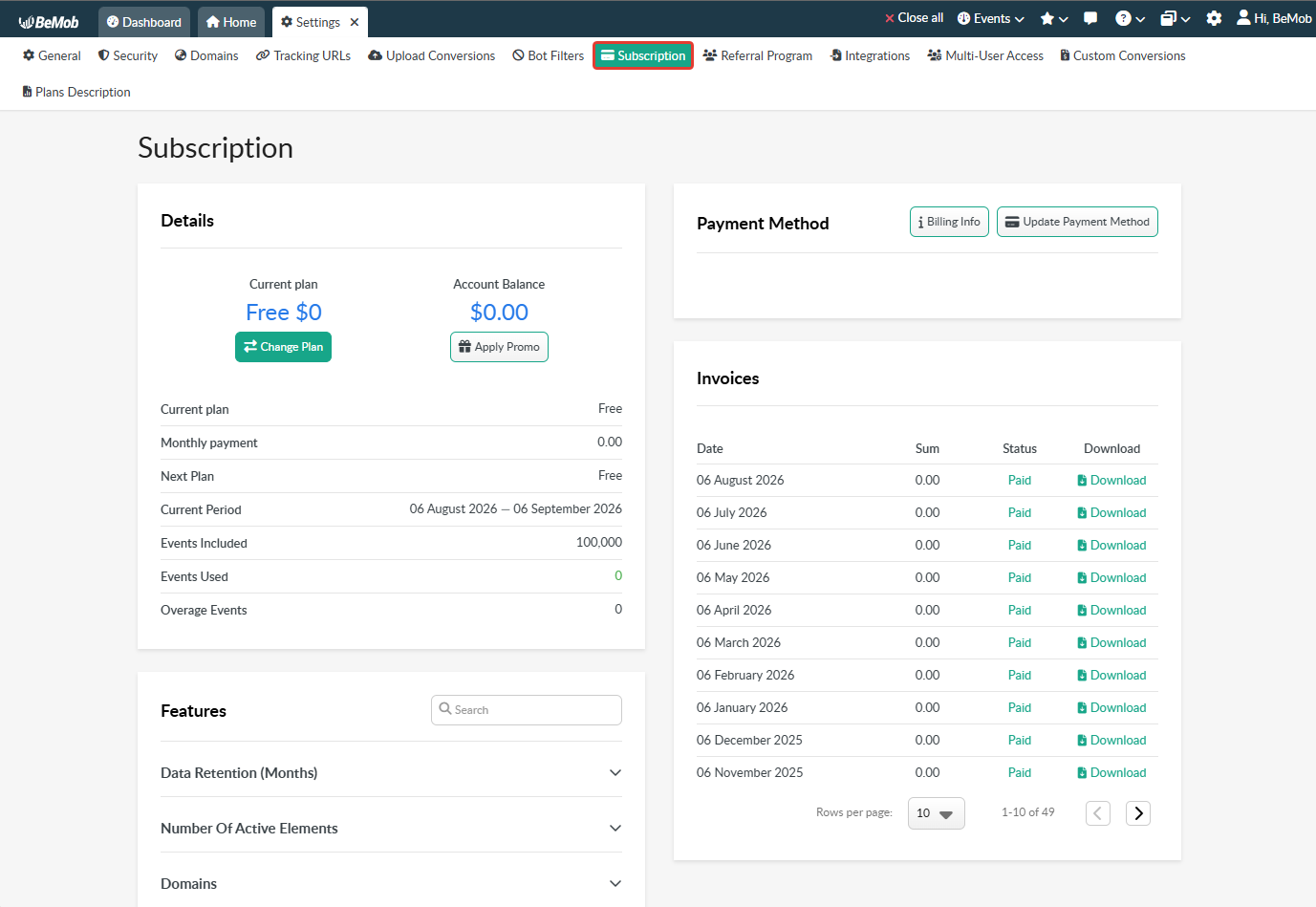
Your subscription can be managed from Account → Subscription, where you can:
- View your current and next subscription plans.
- Check your current billing period.
- Monitor your event usage and remaining quota.
- Review your account balance.
- Apply a promo code.
- Update your payment method and billing information.
- Download invoices and view your payment history.
- View the features included in your current plan.
¶ Understanding Events
BeMob tracks various types of actions performed by visitors, referred to as events. The term of events covers the following traffic data: impressions, visits, clicks, conversions.
¶ Impressions
An impression is registered with BeMob when a visitor views your ad.
To register an impression on BeMob’s side, you need to place a dedicated impression pixel on the ad banner. This impression pixel is generated by BeMob and must be supported by your traffic source.
When an ad loads on a page, it counts as one ad impression.
🛠 If your traffic source is not supporting the pixel, impression tracking will not function. We recommend to refer to your traffic source platform documentation for more information.
¶ Visits
A visit occurs when a visitor clicks on the campaign URL associated with an advertisement.
The visit is recorded and appears in your reports once the campaign URL correctly transmits visit information to BeMob.
If you’re using the no-redirect method of tracking, a landing page URL should serve as the campaign URL. In this scenario, a visit is registered once visit data is transmitted correctly to BeMob.
🛠 With the no-redirect method, ensure a dedicated landing page pixel is added to your landing page’s code.
¶ Clicks
A click is registered when a visitor clicks the CTA button placed on your landing page.
Once the CTA button is clicked, the visitor will be redirected to an offer page associated with a particular landing.
To ensure accurate passing of click data, include a click URL generated by BeMob in the CTA button on your landing page’s code.
These click URLs are generated for each campaign and can be found under the Campaign Links section.
🛠 If you’re using the no-redirect method of tracking, it is required to use a different type of click URL which is called CTA URL.
The CTA URL will also be available under the Campaign Links → LP Pixel Generator settings.
¶ Conversions
A conversion is any successful action that follows your offer. It can be registration, ordering or uploading an application etc.
This event is recorded when a postback URL or tracking pixel successfully transmits accurate information about a conversion from an affiliate network (or direct advertizer, or your own website) to BeMob.
💡 With BeMob you can use the click ID-based method of conversions tracking or track conversions with no click IDs data.
¶ Plans Comparing
BeMob offers 4 subscription plans: Free, Professional, Business, and Enterprise. Each plan is designed for different traffic volumes and business needs.
When choosing a plan, consider your expected event volume, the features you need, the number of campaigns and active elements you manage, and whether you need additional capabilities for team collaboration or scaling.
You can start with a lower-tier plan and upgrade as your traffic and tracking requirements grow.
If you're just exploring BeMob or setting up your first campaigns, the Free plan is a good starting point.
Active affiliate marketers may benefit from Professional, while Business and Enterprise are better suited for higher traffic volumes, larger teams, and more complex campaign management.
| Plan | Best For |
| Free | Learning and testing |
| Professional | Active affiliate marketers |
| Business | Scaling campaigns and teams |
| Enterprise | High-volume advertisers and agencies |
📩 Custom pricing is available if your traffic volumes exceed the events quota of Enterprise plan — contact the support team for assistance.
For a detailed breakdown of the features, limits, and pricing available with each plan, see the Plans Description section in your BeMob account.
¶ Events Overage
Each BeMob pricing plan includes a specific number of events for every billing period. If your account reaches the included event quota, the way BeMob handles additional events depends on your subscription plan.
¶ Free Plan
The Free plan does not support event overage.
At every stage of working with your campaigns you will be notified about the amount of events used. The notifications on 30 000, 50 000, 70 000, 100 000 events used are visible in your BeMob account and sent to your email used with the registration.
❗️If you cross the limit of 100 000 events during 30 days of your billing period, the subscription upgrade will be required to continue the work with BeMob.
Once the included event limit is reached, tracking stops. If you don't upgrade your subscription, the account will be blocked.
¶ Paid Plans
Paid plans support overage events, so tracking continues after the included quota is reached.
- Extra events are billed automatically.
- Overage is charged only for events above the included quota.
- The overage charge is applied at the end of the current billing cycle.
💡 You can monitor your event usage and included quota from the Subscription section of your BeMob account.
¶ Example
The Professional plan includes 1,000,000 events per billing cycle.
If your account records 1,250,000 events during the billing cycle:
| Event type | Amount |
| Included events | 1,000,000 |
| Overage events | 250,000 |
| Total events | 1,250,000 |
You are charged only for the additional 250,000 events, and the overage charge is applied at the end of the current billing cycle.
¶ Overage vs Upgrading
If you occasionally exceed your included event quota, paying for overage can be more convenient than changing your subscription. However, if your traffic or requirements consistently exceed your current plan, upgrading may be more cost-effective and provide higher limits and additional features.
¶ Add-ons: Customize Your Plan
Most trackers force you to upgrade the entire plan to access additional features. BeMob allows you to purchase only the functionality you need.
BeMob add-ons let you extend your subscription with specific features or higher limits without upgrading to a higher plan. This gives you more flexibility to build a subscription around your actual campaign requirements.
Instead of paying for a higher-tier plan just to access one additional feature, you can keep your current plan and add only the functionality or capacity you need.
¶ Example
Imagine you are using the Professional plan and need:
- Facebook CAPI
- Additional domains
- More Admin/User roles
Instead of upgrading to Business, you can keep your Professional subscription and purchase the required add-ons.
This way, you pay for the specific capabilities you need rather than paying for the entire higher-tier package.
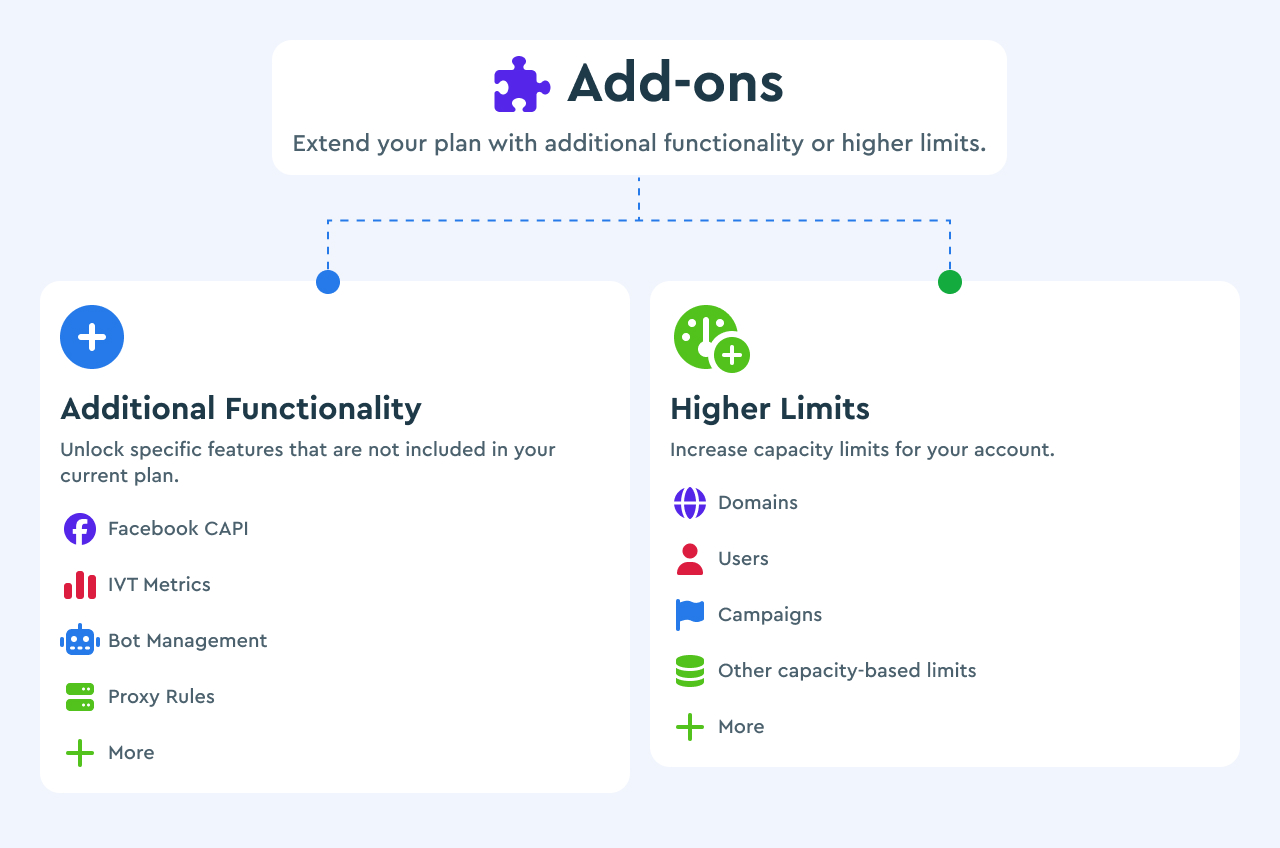
💡 See the Features section for the complete list of available add-ons and their details.
¶ Example
You use the Professional plan, run 700,000 events per month, and need Facebook CAPI.
Option A: Upgrade to Business and get the features and limits included in that plan.
Option B: Stay on Professional and purchase the Facebook CAPI add-on.
In this case, Option B may be more cost-effective because you pay for the specific functionality you need instead of upgrading the entire plan.
¶ Payment Options
BeMob supports several payment methods, allowing you to choose the option that works best for your account.
¶ Main Payment Methods
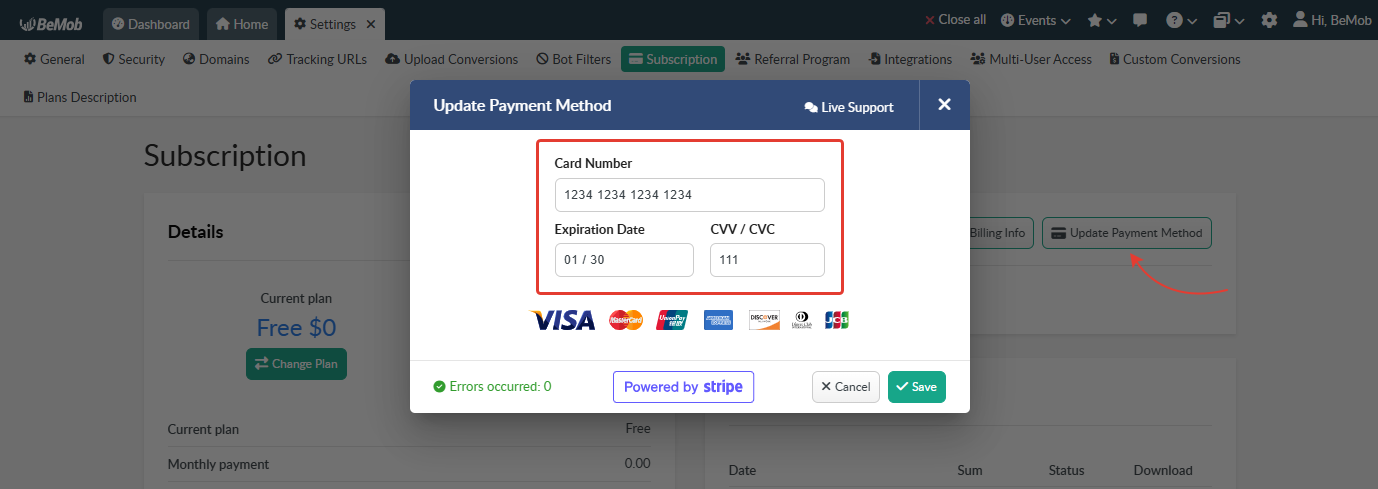
These are the standard payment options available for paying your BeMob subscription. Depending on the method, you can either save it to your account for future payments or select it when paying an invoice.
¶ Card
You can pay for your BeMob subscription using the following card systems:
- Mastercard
- Visa
- American Express
- UnionPay
- Discover
- Diners Club
- JCB
To add a card, enter your card details in the Subscription section of your BeMob account. Once added, the card becomes the default payment method for your subscription.
¶ Digital Payment Services
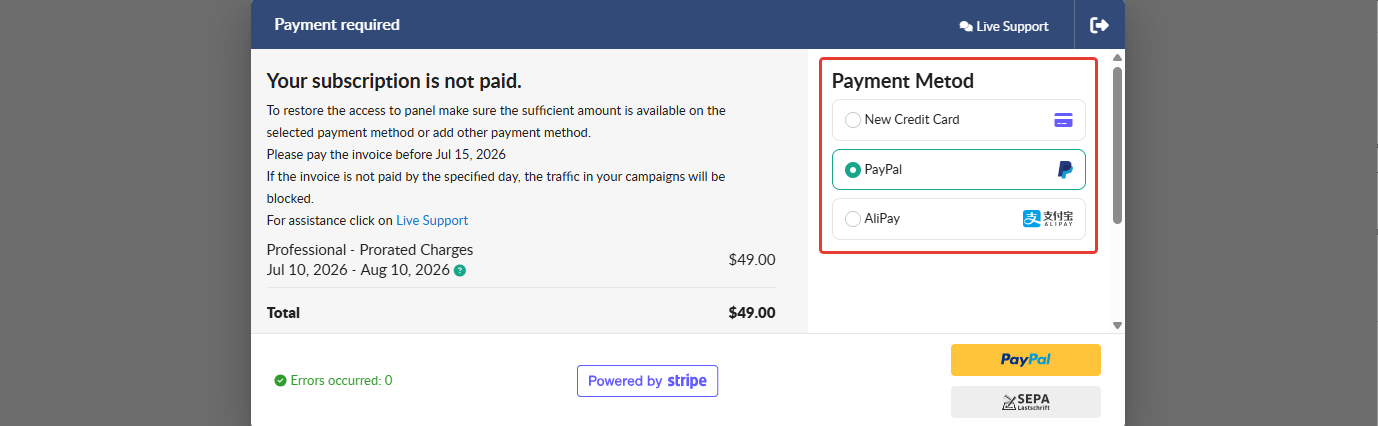
You can pay your invoices using the following digital payment services:
- PayPal
- Alipay
These payment options are available on the payment page after an invoice has been generated and is ready for payment.
¶ Alternative Payment Methods
If you cannot use one of the main payment methods, BeMob also offers alternative ways to complete your payment. These options may require assistance from the BeMob support team and may have additional payment conditions or fees.
¶ Cryptocurrency
BeMob subscription can be paid using USDT (TRC20).
To pay an invoice with cryptocurrency, contact the BeMob support team through the live chat and request this payment option. A 2% commission is added to the invoice amount when paying via USDT.
¶ Secure Payment Link
If your card is not supported or you experience an issue with card payment, contact the BeMob support team through the live chat. The team can provide you with a secure payment link to complete the payment using an alternative card payment method.
❗️ BeMob support is available through the live chat in your BeMob account. For security reasons, do not use third-party messengers to contact the BeMob team or share your payment details.
¶ Frequently Asked Questions
- What counts as an event?
BeMob counts impressions, visits, clicks, and conversions as events. Each recorded event counts toward the event quota of your subscription.
- How is the billing period determined?
Your first billing period starts on the day you register your BeMob account and lasts 30 days. Subsequent billing periods begin on the same day of each month, which is your billing date.
Even on the Free plan, your account has its own 30-day billing period. The billing period starts from the date your account is registered.
¶ Example
You register your BeMob account on August 25 and use the Free plan.
Your billing period will be: August 25 – September 25
You can use up to 100,000 events during this billing period.
- If you do not use all 100,000 events by September 25, a new quota of 100,000 events will become available when the next billing period starts.
- If you use all 100,000 events before the end of the billing period, for example, on September 2, you will need to upgrade to a paid plan to continue using BeMob.
- Once the 100,000-event limit is reached, access to the account will be restricted until you upgrade to a paid plan.
- If the event count reaches 200,000 without upgrading to a paid plan, traffic will be stopped.
If you upgrade from the Free plan to a paid plan during an active billing period, you do not pay for a full billing period. The subscription cost is prorated based on the number of days remaining until the end of your current billing period.
¶ Example
- Account registration: August 25
- Current billing period: August 25 – September 25
- Upgrade to Professional: September 2
In this case, you will be charged only for the period from September 2 to September 25, rather than for the full 30-day period.
On September 25, a new billing period will begin, and the regular subscription price for the selected plan will apply.
- When is overage charged?
For paid plans, overage is calculated based on the events recorded above your included quota during the billing cycle. The additional charge is applied at the end of the current billing period.
- Can I disable overage?
Paid plans are designed to continue tracking when your event quota is exceeded, with additional events billed as overage. To avoid overage charges, monitor your event usage and consider upgrading your plan when higher traffic volumes become regular.
- Can I pay for overage on the Free plan?
No. The Free plan does not support overage. Once the included event limit is reached, tracking stops. If the subscription is not upgraded, your account will be blocked.
- Can I purchase more events on the Free or Professional plan?
BeMob does not offer separate event packages for purchase. If you need more events than your plan includes, you can either pay for overage (paid plans only) or upgrade your subscription to a plan with a higher event quota.
- When should I upgrade?
Consider upgrading when you regularly exceed your event quota, need higher plan limits, or require features that are not available as add-ons for your current plan. For occasional increases in traffic, overage may be sufficient.
- I need 1 tracking domain. Can I buy it without upgrading my current plan?
Yes. BeMob add-ons allow you to purchase specific functionality or increase selected limits without moving to a higher subscription plan.
- Can I access previous data by purchasing a data retention add-on?
Yes. The data retention add-on extends the period for which your tracking data remains available. For example, if your current retention period is 1 month and you need access to up to 6 months of data, you can purchase the required retention period. The maximum data retention period is 12 months.
- Do add-ons affect my event quota?
Add-ons for additional functionality or higher limits do not increase your included event quota. The amount of available events remains determined by your subscription plan.
- How can I add funds to my account balance?
The account balance can be increased by making a prepayment using one of the available payment methods. Please contact our team if you would like to add funds to your balance.
- Can I pay for my subscription via Capitalist?
No. Capitalist is not currently supported as a payment method for BeMob subscriptions.
- Why do I need to choose the country when paying the subscription?
Your country is required to process the payment and determine the applicable payment conditions. Please select the country that corresponds to your current location.
- I see the phone number issue when trying to pay the subscription. How can it be fixed?
Make sure your phone number includes the correct country code and contains the required number of digits for your country. If the issue persists, contact the BeMob support team via the live chat for assistance with your payment.
- How can I contact BeMob about pricing or payment questions?
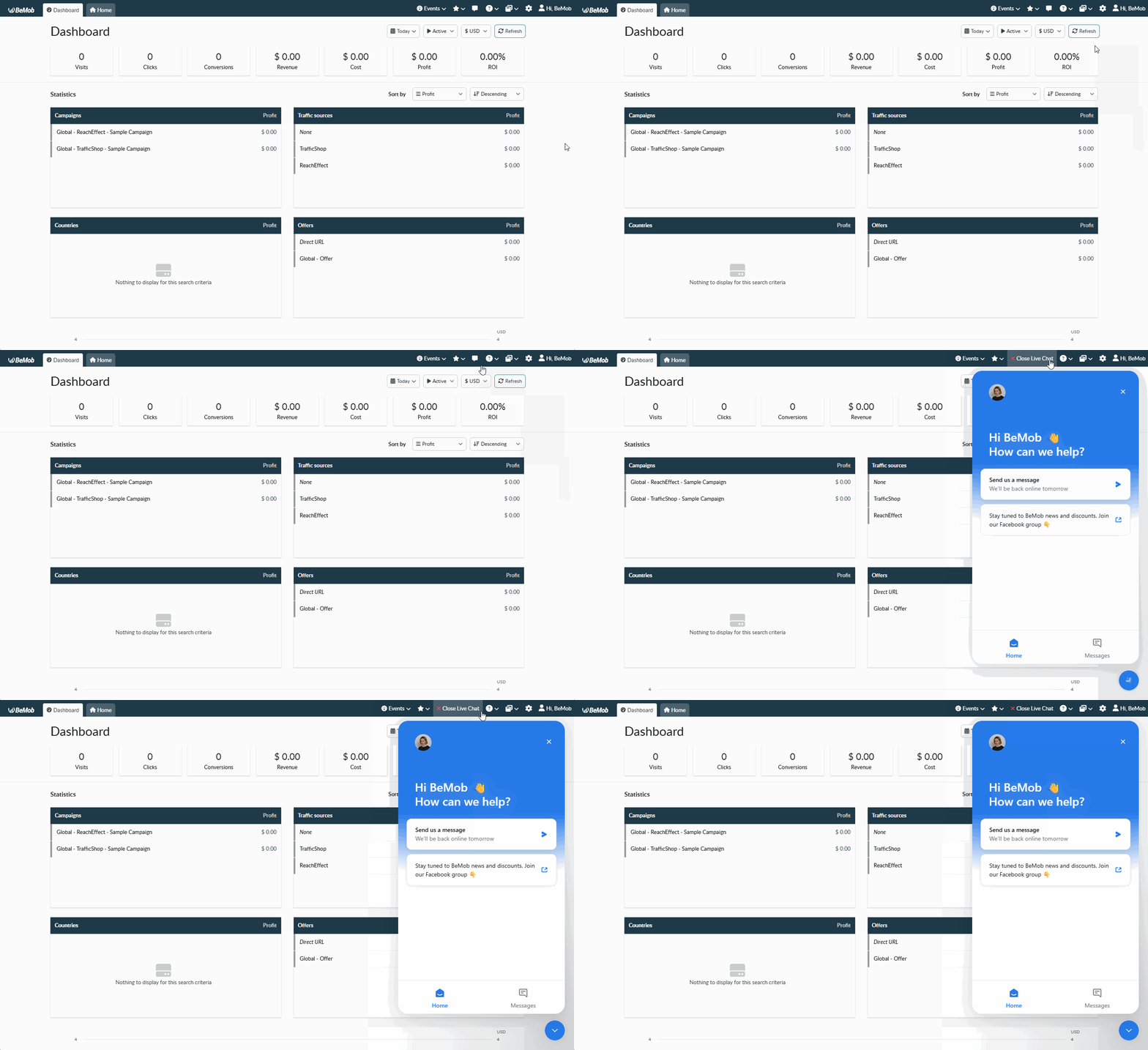
If you have questions about payments, subscription plans, pricing, or billing, click the live chat button in the upper-right corner of your BeMob account. The chat window will open in the lower-right corner, where you can contact the BeMob team.
📩 Need help? Contact support via live chat or email at support@bemob.com